Auto-Embeddings
Automatically generate vector embeddings with pgvector and OpenAI for semantic and similarity search over your data in near real-time.
embeddings vector embeddings pgvector OpenAI semantic search similarity search RAG vector databaseAuto-emeddings leverages pgvector and OpenAI to easily generate embeddings for your data in near real-time and without hassle. In addition, Auto-Embeddings allows you to seamlessly query your data using natural language or even using another object in your database (similarity search). Finally, the embeddings generated by Auto-Embeddings can be leveraged by your own code to perform any analysis or provide any extra functionality you may need.
Generating embeddings
Section titled “Generating embeddings”Embeddings generation works in the following way:
- Every
sync-period(5 minutes by default) graphite queries your data and searches for new data (or existing data that changed recently). - It extracts the relevant data for generating the embeddings
- It requests OpenAI to generate embeddings
- It stores the embeddings alongside the data.
Querying embeddings
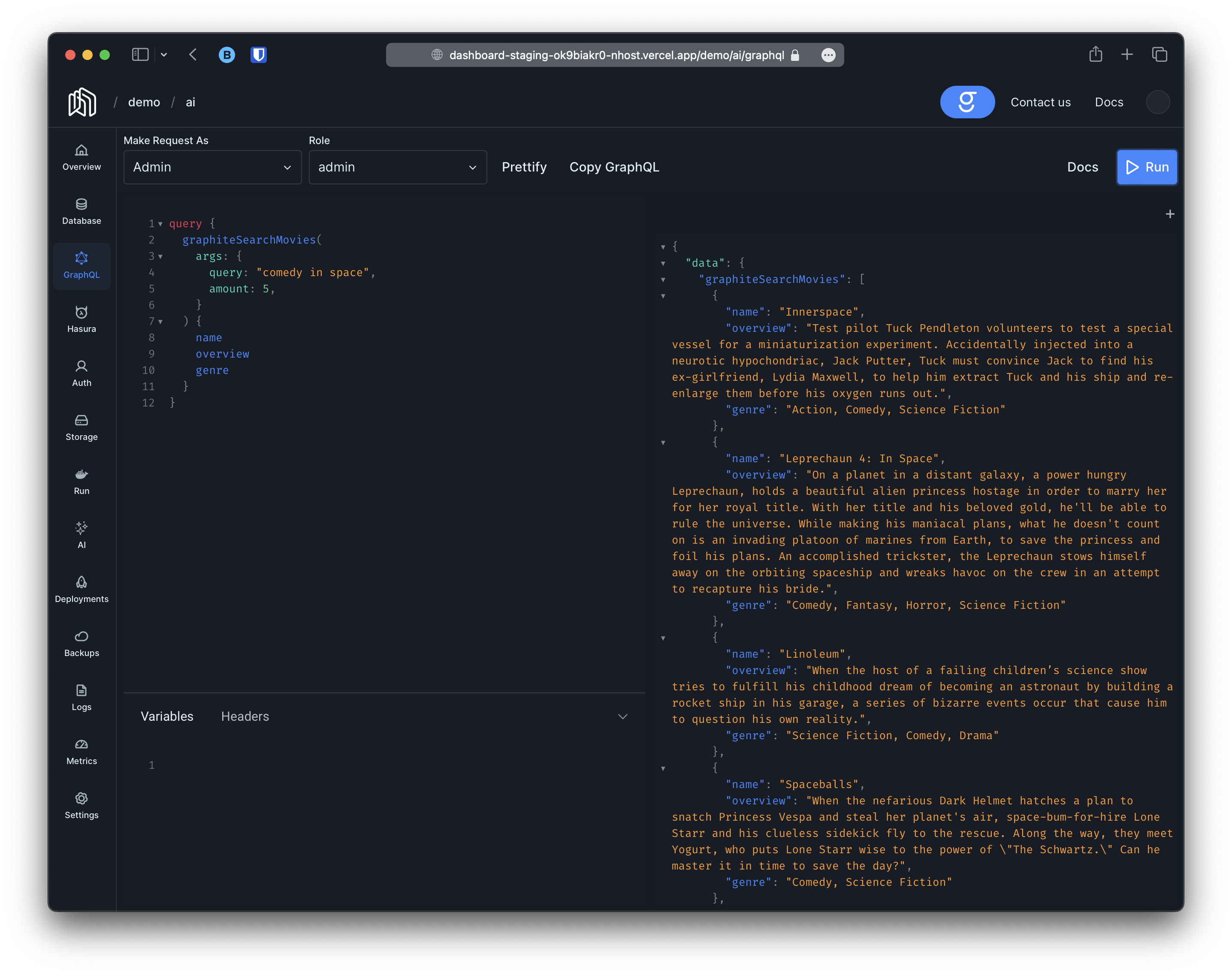
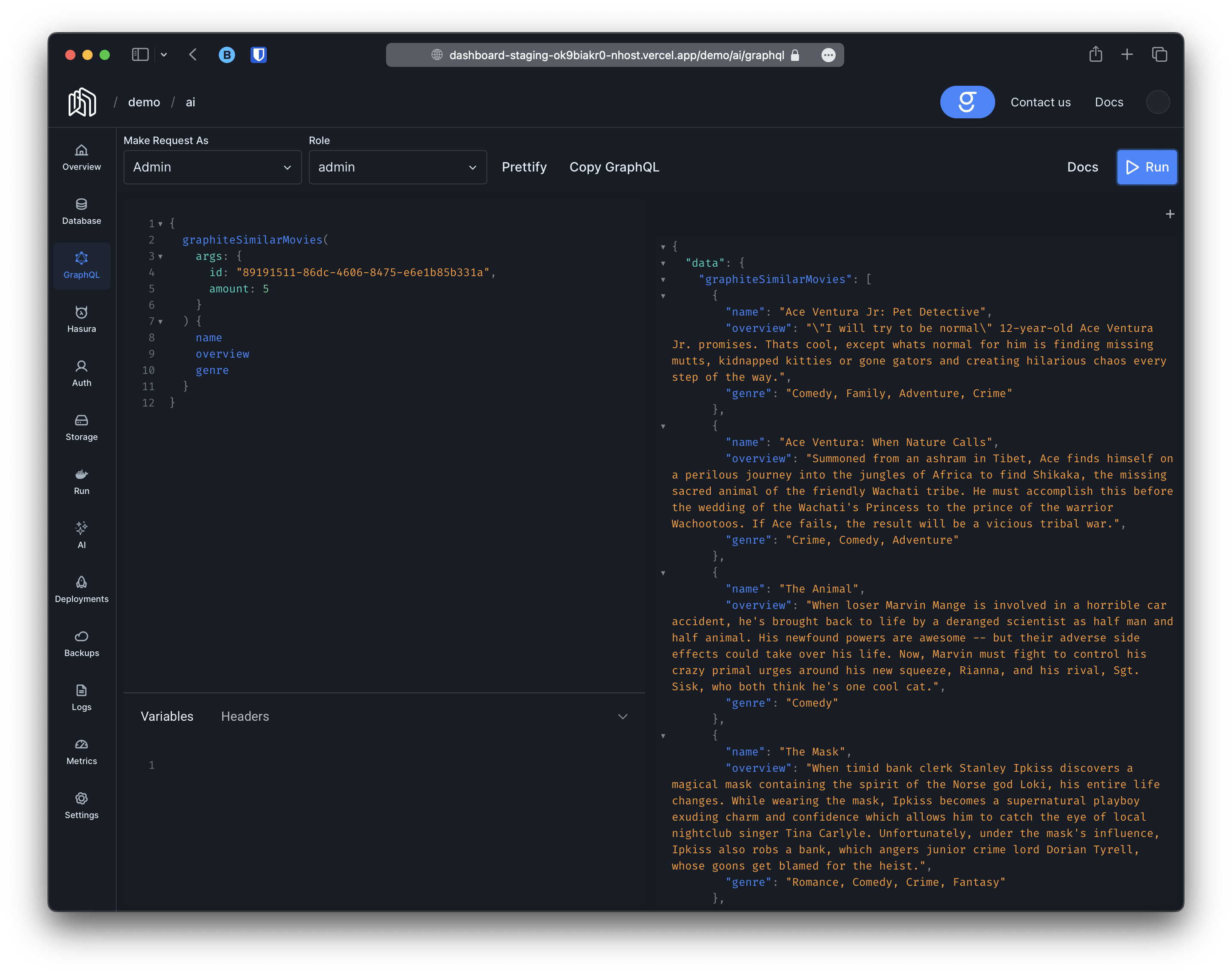
Section titled “Querying embeddings”Once the embeddings have been generated you can leverage pgvector to perform any operation you may want. In addition, Auto-Embeddings will automatically provide two new queries; graphiteSearchXXX (search using natural language) and graphiteSimilarXXX (search for objects similar to a given object), where XXX is a name given by you.
To demonstrate how to configure Auto-Embeddings we will use an example project where we are storing movies.
Before we start, let’s start by explaining the project. Our project contains a single table called movies with the following columns:
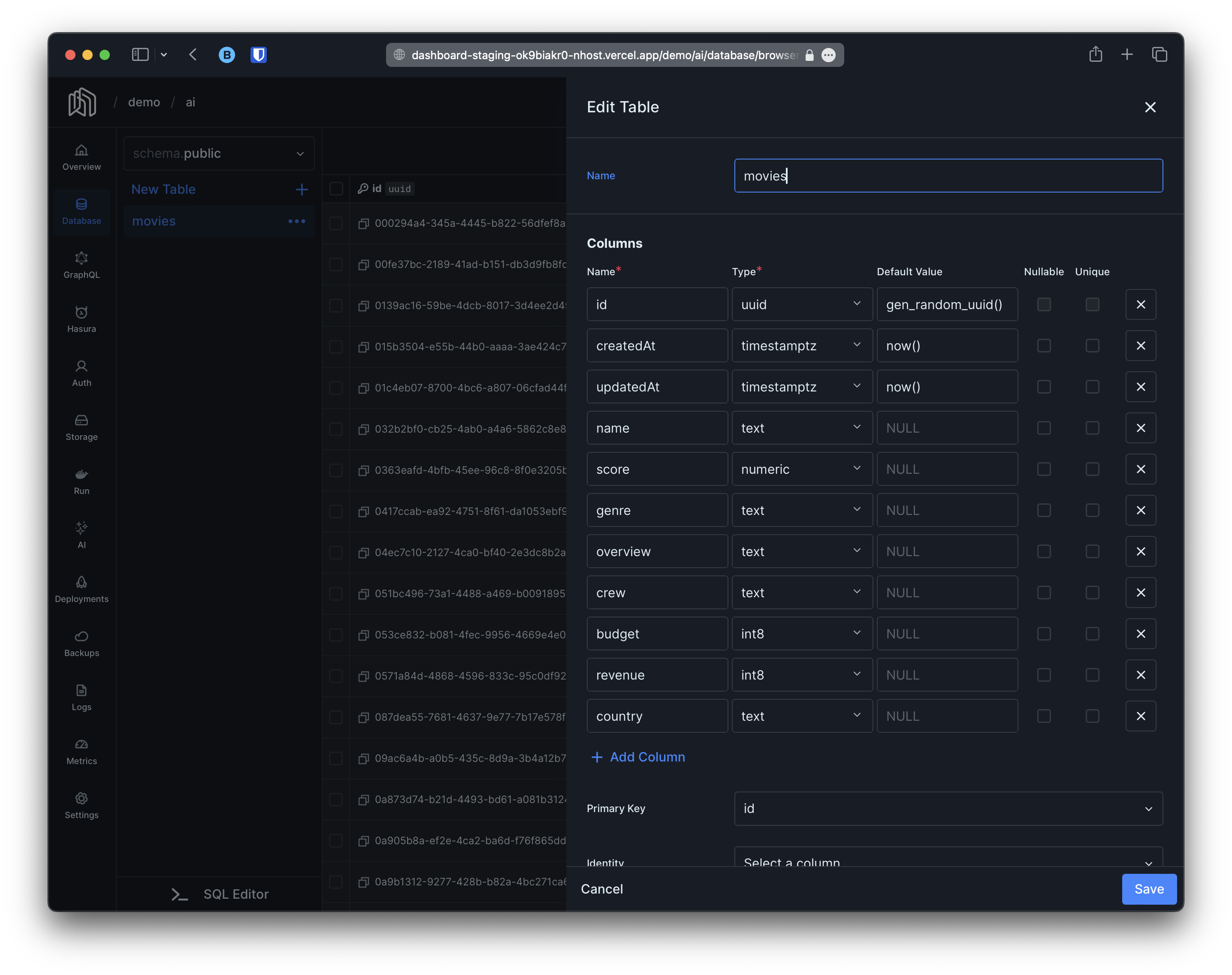
Our goal is going to be to generate embeddings using the data in the columns name, genre and overview.
Preparing your database
Section titled “Preparing your database”Before we can start generating embeddings we need to prepare our database:
- First we are going to need a column to store the embeddings.
- Finally, we are going to need a mechanism to detect when embeddings need to be regenerated.
Embeddings Column
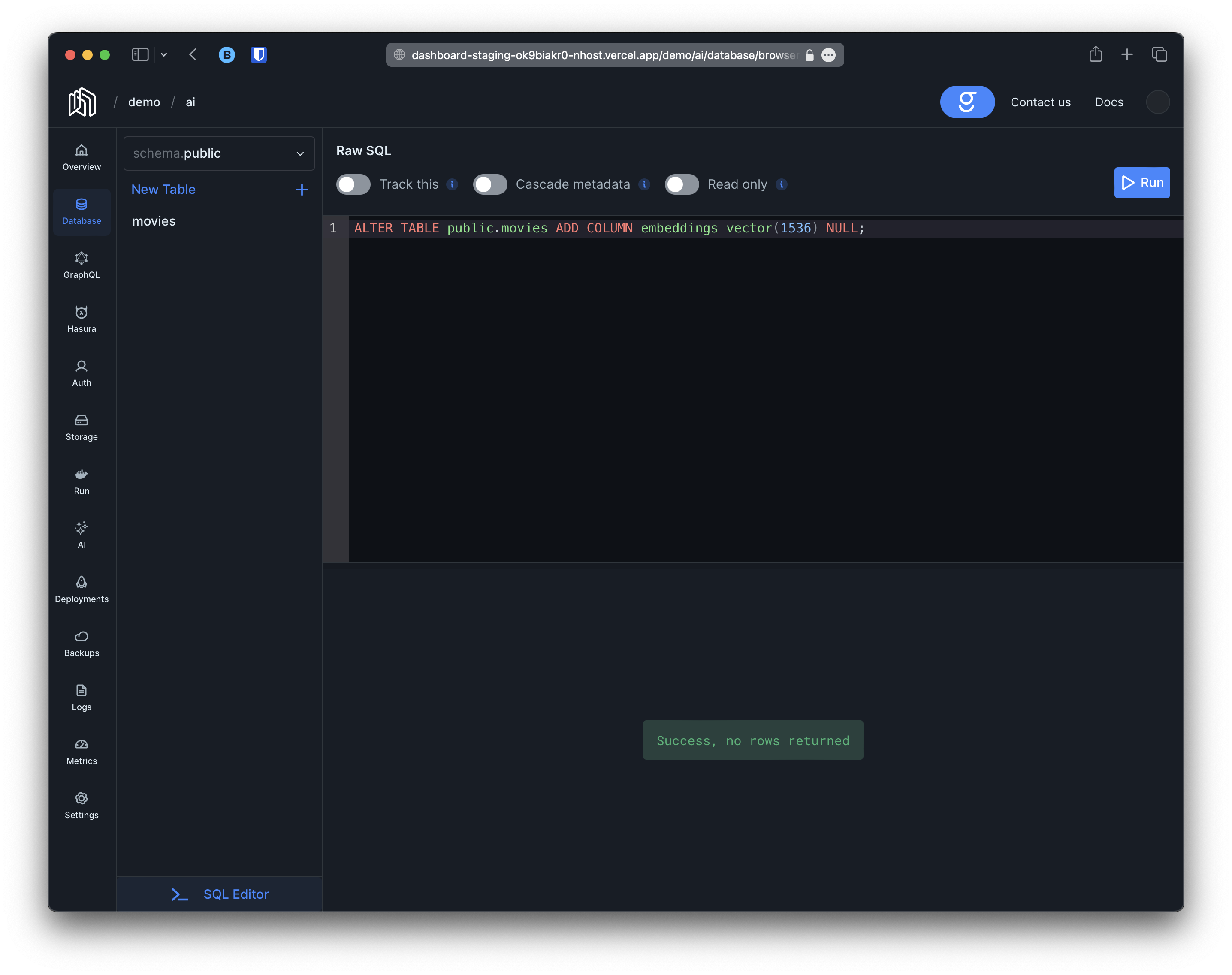
Section titled “Embeddings Column”Creating a column to store embeddings is as easy as creating any other column. Just make sure it is of type vector(1536) and it can be NULL. For our project we can simply go to the SQL tab and create a migration with the following content:
-- in this example we are using "embeddings" as the name for our column-- but you can choose anything you wantALTER TABLE public.movies ADD COLUMN embeddings vector(1536) NULL;For instance:
Detecting Changes
Section titled “Detecting Changes”On every sync-period graphite will perform a graphql query to get all the rows that have outdated embeddings. This means we can build this query in a way that:
- Gets the data we need for the embeddings.
- Retrieves objects with the embeddings column set to
NULL. - Leverages another mechanism to detect which rows needs their embeddings regenerated.
In this example we are going to opt for the following mechanism to detect outdated embeddings:
- Add a column
outdated(boolean) to indicated whether the row is outdated or not. - Add a postgres trigger and function that will set the
outdatedcolumn to true every time there is a change to our data.
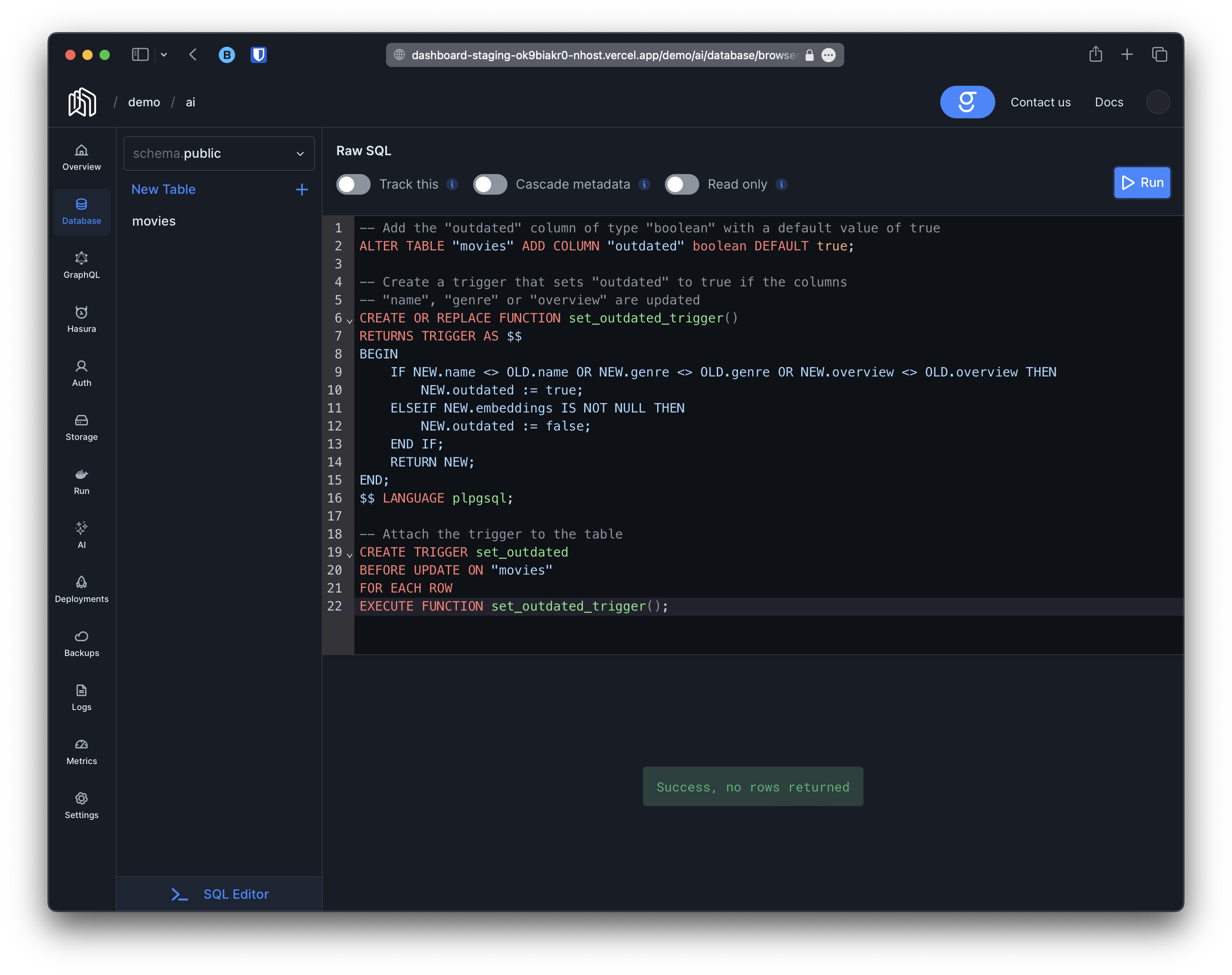
With this in mind we are going to create a migration with the following contents:
-- Add the "outdated" column of type "boolean" with a default value of trueALTER TABLE "movies" ADD COLUMN "outdated" boolean DEFAULT true;
-- Create a trigger that sets "outdated" to true if the columns-- "name", "genre" or "overview" are updatedCREATE OR REPLACE FUNCTION set_outdated_trigger()RETURNS TRIGGER AS $$BEGIN    IF NEW.name <> OLD.name OR NEW.genre <> OLD.genre OR NEW.overview <> OLD.overview THEN        NEW.outdated := true;    ELSEIF NEW.embeddings IS NOT NULL THEN        NEW.outdated := false;    END IF;    RETURN NEW;END;$$ LANGUAGE plpgsql;
-- Attach the trigger to the tableCREATE TRIGGER set_outdatedBEFORE UPDATE ON "movies"FOR EACH ROWEXECUTE FUNCTION set_outdated_trigger();
For instance:
Now, graphite’s query will be (more on this later):
query GetOutdatedMovies { movies(where: { _or: [ {embeddings: {_is_null: true}}, # new rows without embeddings {outdated: {_eq: true}, # existing rows with changed data }, ]}) { id # id column is mandatory name genre overview }}Configuring Auto-Embeddings
Section titled “Configuring Auto-Embeddings”Now that we have prepared our database we can proceed to configure Auto-Embeddings. You will need the following data:
- A unique name. We are going to use
moviesfor this particular example but it can be anything. This will determine the name of the GraphQL queriesgraphiteSearchXXXandgraphiteSimilarXXX. - The location of the embeddings column; schema, table and column names, in this example
public,moviesandembeddingsrespectively. - A GraphQL query to retrieve the outdated rows and their new data (the query we worked on in the previous section)
- A GraphQL mutation that takes the
idof the object, the embeddings and that updates the relevant object. For instance, in this particular example the following mutation would suffice:
mutation UpdateEmbeddingsMovie($id: uuid!, $embeddings: vector) { updateMovie(pk_columns: {id: $id}, _set: {embeddings: $embeddings}) { __typename }}NOTE: It is important that the query returns the id of the object and that the mutation accepts it as otherwise graphite won’t know which object to update.
Now that we have all the data we need, adding the configuration is as simple as running the following graphql mutation:
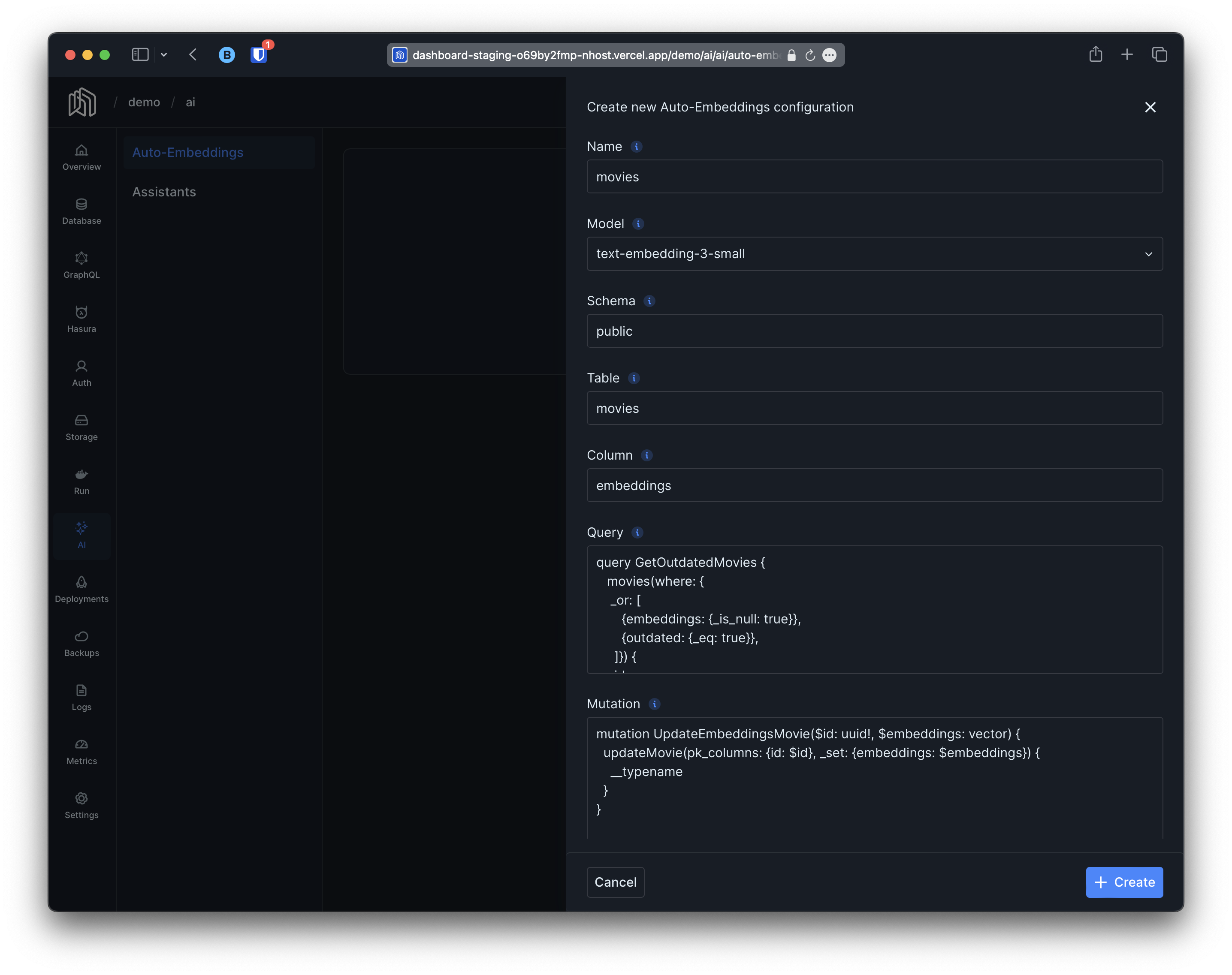
mutation { insertGraphiteAutoEmbeddingsConfiguration( object: { name: "movies", model: "text-embedding-3-small", schemaName: "public", tableName: "movies", columnName: "embeddings", query: "query GetOutdatedMovies { movies(where: { _or: [ {embeddings: {_is_null: true}}, {outdated: {_eq: true}}, ]}) { id name genre overview crew } }", mutation: "mutation UpdateEmbeddingsMovie( $id: uuid!, $embeddings: vector, ) { updateMovie( pk_columns: {id: $id}, _set: { embeddings: $embeddings, }) { __typename } }", }) { id }}Aftermath
Section titled “Aftermath”Embeddings Generation
Section titled “Embeddings Generation”After executing the mutation above two things will happen; the first one is that if we look at our logs we will start seeing entries like this on the next sync-period:
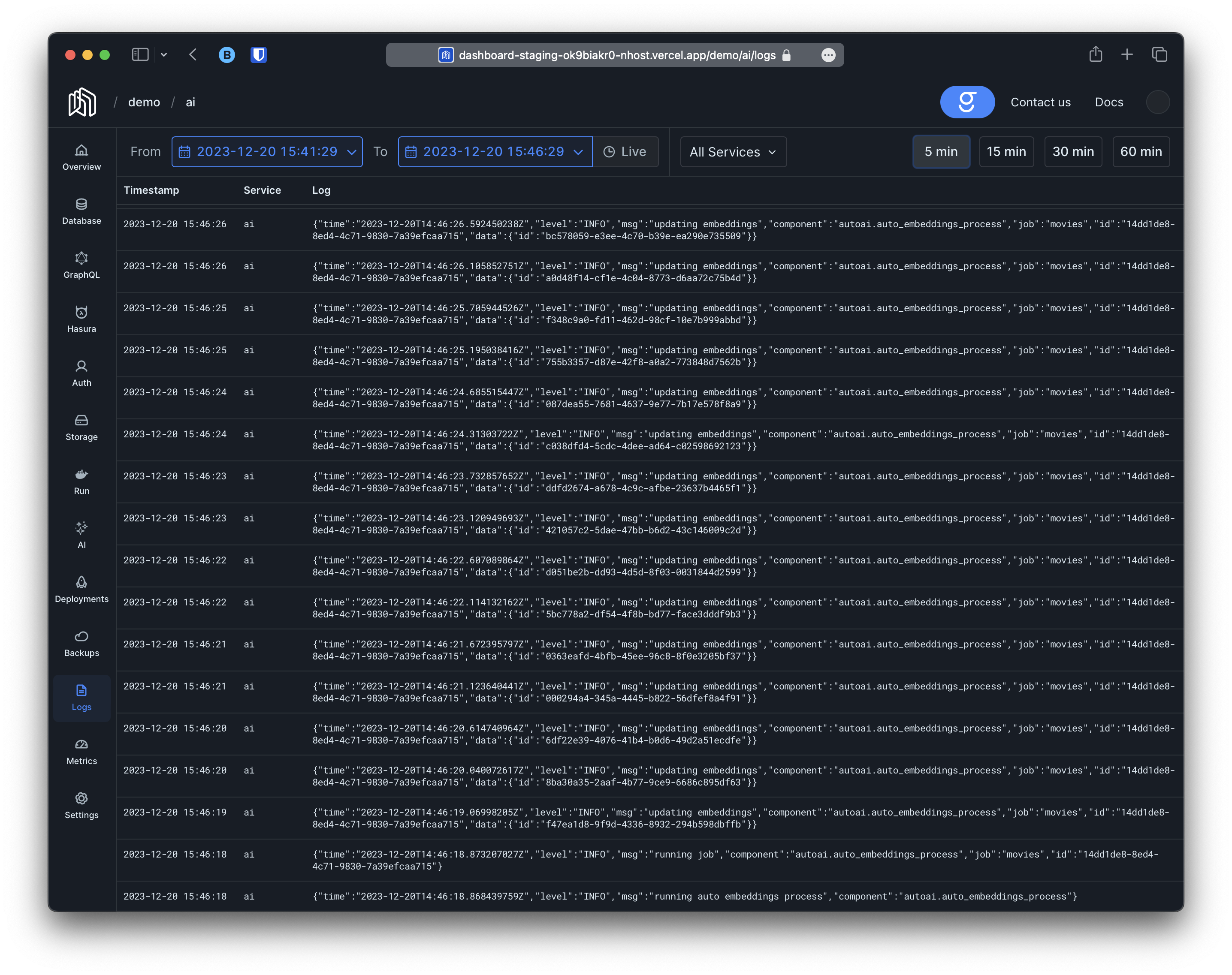
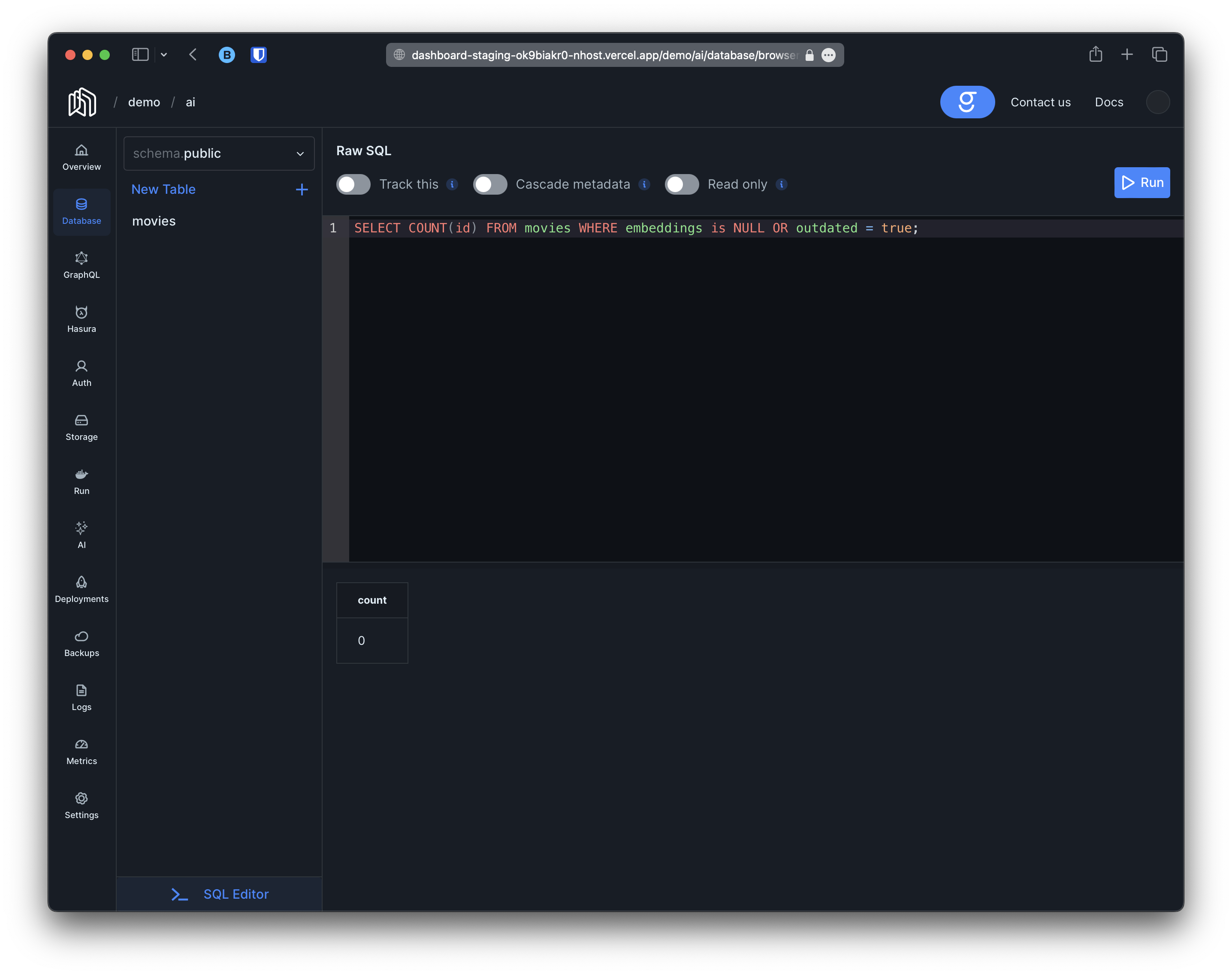
The logs indicate that graphite has started to generate embeddings for the movies. We can track the progress by counting movies with the embeddings column set to NULL:
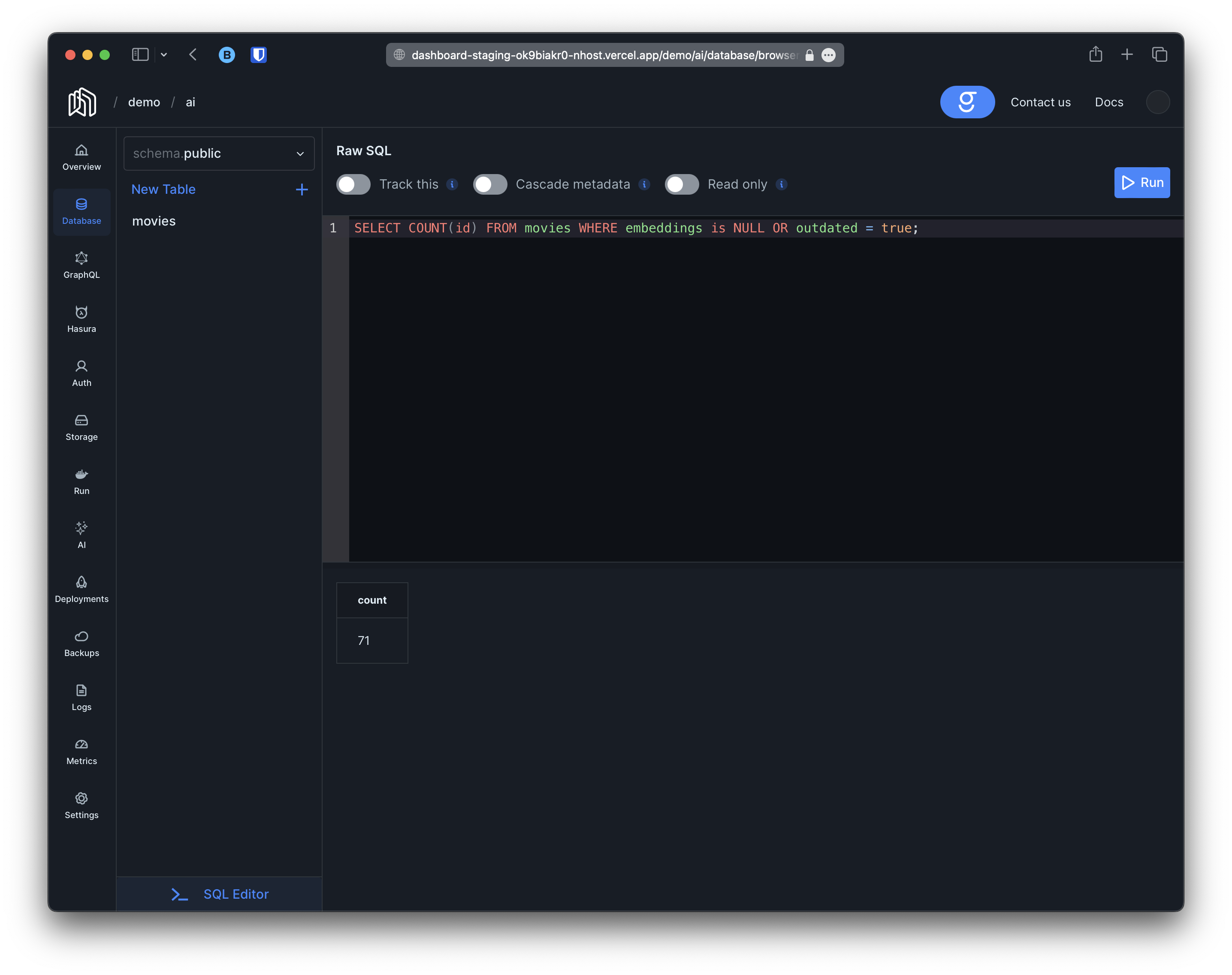
Until eventually it reaches 0.
Natural Language and Similarity Search
Section titled “Natural Language and Similarity Search”The second thing that will happen is that the queries graphiteSearchMovies, graphiteSearchMoviesAggregate, graphiteSimilarMovies and graphiteSimilarMoviesAggregate will be created. These queries will work similar to the standard movies and moviesAggregate queries provided by hasura and will respect the same permissions but they will also allow you to query movies using natural language or other movies for comparison. For instance: