

Connect a Provider to an Existing User
Link OAuth providers to existing Nhost Auth accounts — let users connect multiple social logins to one user, even with different emails.
provider connect link accounts multiple providers OAuth user authentication account linkingWith the provider connect feature, users can link configured providers with their account, regardless of the initial sign-up method. It enables users to link different providers to their accounts, even if the email addresses do not match (e.g., linking a GitHub profile to an account registered with a different email). This feature offers flexibility, allowing users to streamline their login process by connecting multiple authentication methods.
To add a provider authentication method to an existing user you need to call the url https://${subdomain}.auth.${region}.nhost.run/v1/signin/provider/${provider}?connect=${jwt}. This is very easy to achieve with our SDK:
nhost.auth.connectProvider({ provider: 'github'})Viewing and Deleting Provider Authentication Mechanisms
Section titled “Viewing and Deleting Provider Authentication Mechanisms”If you want to allow your users to view and/or delete provider authentication mechanisms, you can provide the necessary permissions to the table auth.user_providers (i.e. select and/or delete) and then use the appropriate GraphQL query. For example, the following permissions should allow users to list their own providers:
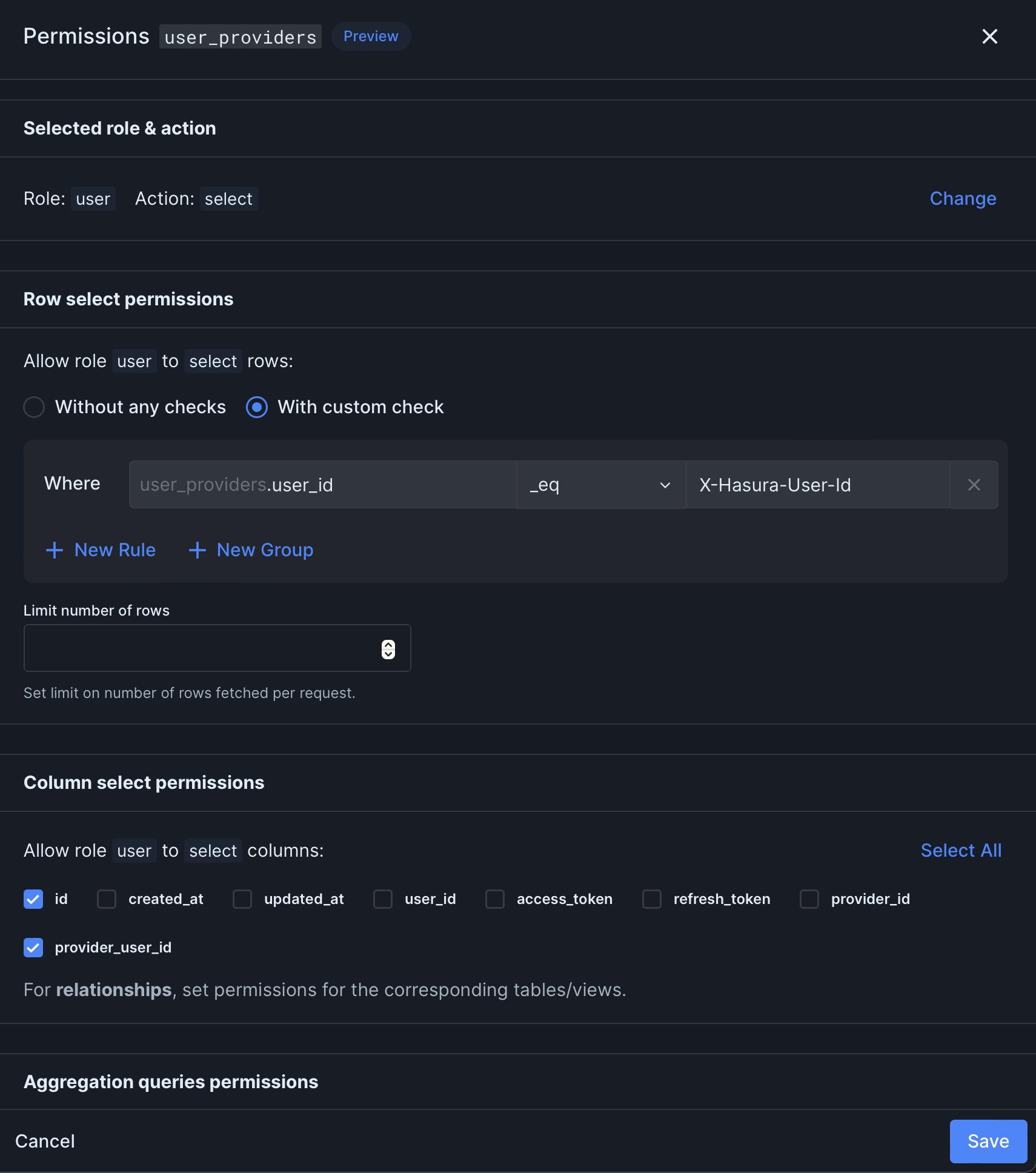
Using the following GraphQL query:
const { error, data } = await nhost.graphql.request( gql` query getAuthUserProviders { authUserProviders { id providerId } } `,)