

OAuth2 / OIDC Provider
Use your Nhost project as an OAuth2 and OpenID Connect Identity Provider for third-party applications
oauth2 oidc openid connect identity provider idp authorization server third-party ssoNhost Auth can act as an OAuth2 Authorization Server and OpenID Connect Identity Provider. This lets third-party applications — wikis, dashboards, MCP servers, internal tools — authenticate users through your Nhost project using standard OAuth2/OIDC flows.
sequenceDiagram    participant App as Third-Party App    participant Auth as Nhost Auth    participant Consent as Your Consent Page
    App->>Auth: Redirect to /oauth2/authorize    Auth->>Consent: Redirect with request_id    Consent->>Consent: User authenticates & approves    Consent->>Auth: POST /oauth2/login    Auth->>App: Redirect with authorization code    App->>Auth: Exchange code for tokens    Auth->>App: Access token, ID token, refresh token
What It Supports
Section titled “What It Supports”- Three client types — confidential (with secret), public (no secret, PKCE required), and URL-based (CIMD)
- Scopes —
openid,profile,email,phone,offline_access,graphql - RSA-signed JWT tokens — access tokens and ID tokens signed with RSA (RS256, RS384, or RS512), with a JWKS endpoint for verification
Standards Compliance
Section titled “Standards Compliance”| Standard | Description |
|---|---|
| RFC 6749 | OAuth 2.0 Authorization Framework — Authorization Code grant |
| RFC 6750 | OAuth 2.0 Bearer Token Usage |
| RFC 7009 | Token Revocation — Refresh token revocation |
| RFC 7517 | JSON Web Key (JWK) — JWKS endpoint for public signing keys |
| RFC 7519 | JSON Web Token (JWT) — RSA-signed access and ID tokens |
| RFC 7636 | PKCE — Proof Key for Code Exchange (S256 only) |
| RFC 7662 | Token Introspection — Check token validity |
| RFC 8414 | Authorization Server Metadata — Discovery endpoints |
| RFC 9207 | Issuer Identification — iss parameter in authorization responses |
| RFC 9728 | Client ID Metadata Document — URL-based client IDs for MCP and similar tools |
| OpenID Connect Core 1.0 | ID tokens, UserInfo, Discovery, standard claims |
Prerequisites
Section titled “Prerequisites”- An RSA signing key must be configured. Other algorithms are not supported when the OAuth2 provider is enabled.
- The OAuth2 provider must be explicitly enabled via configuration.
Configuration
Section titled “Configuration”Go to your project’s dashboard, then Auth → Settings → OAuth2 Provider.
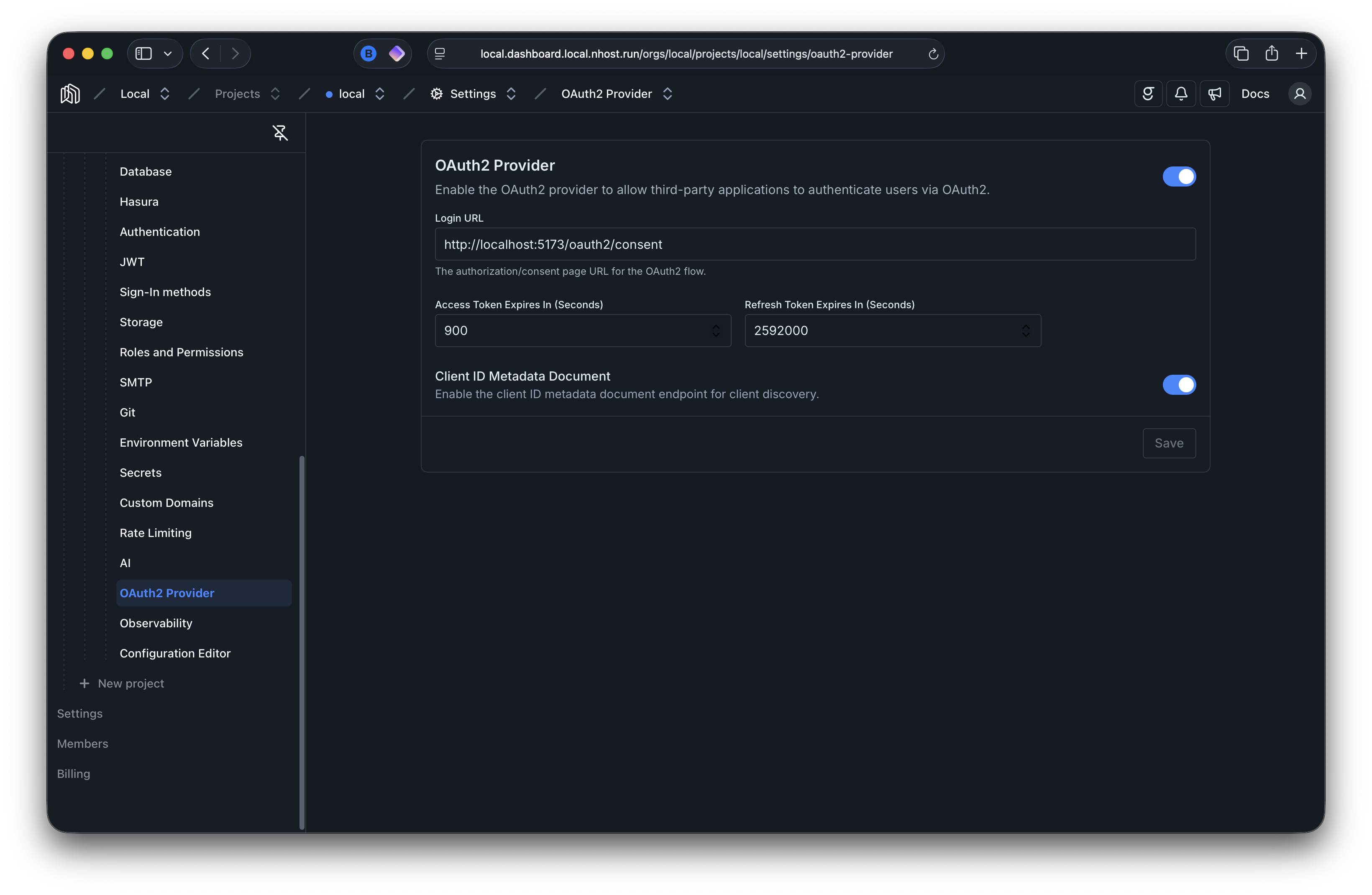
[auth.oauth2Provider]# Enable the OAuth2/OIDC providerenabled = true # default: false# URL where users are redirected for login and consent# You need to implement this page yourself, check our guides for detailsloginURL = 'https://example.com/oauth2/login'
[auth.oauth2Provider.accessToken]# Access token lifetime in secondsexpiresIn = 900 # default: 900 - 15 minutes
[auth.oauth2Provider.refreshToken]# Refresh token lifetime in secondsexpiresIn = 2592000 # default: 2592000 - 30 days
[auth.oauth2Provider.clientIdMetadataDocument]# Enable URL-based client IDs per RFC 9728, used by MCP and similar toolsenabled = true # default: false