

Resources
Allocate CPU, memory, and persistent SSD storage for Nhost Run services, and pause services to save costs.
compute resources CPU allocation memory allocation persistent storage SSD volumes service pausingCompute
Section titled “Compute”You can configure compute resources for your service like this:

[resources.compute]cpu = 62memory = 128If you are configuring the resources via the configuration file instead of using the dashboard, keep in mind that cpu and memory allocation need to follow the following rules:
- The value of the
memoryparameter must be exactly 2,048 times the value of the cpu parameter. - The value of the memory parameter must be within the range of 128 to 7,168 (inclusive).
Don’t forget you can use nhost run config-validate command to verify your values are correct.
Storage
Section titled “Storage”By default a container’s disk is ephemeral so data isn’t persisted across reboots. If your service needs persistent storage you can attach one or more SSD disks by adding the following configuration:
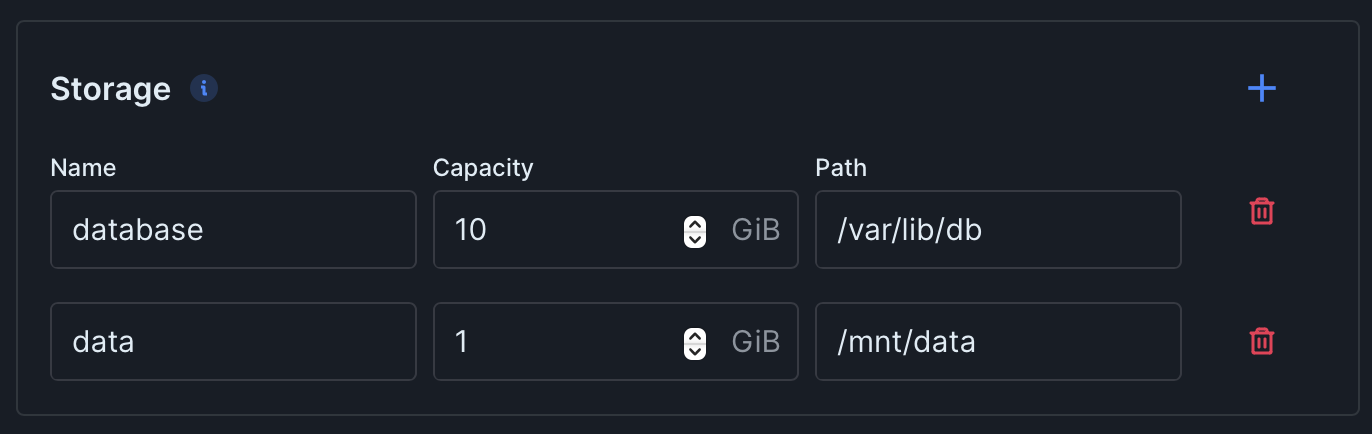
[[resources.storage]]name="database"path="/var/lib/db"capacity=10

[[resources.storage]]name="data"path="/mnt/data"capacity=1
With the above configuration, two disks will be provided. The first disk named database will have a capacity of 10 GiB and will be mounted at /var/lib/db. The second disk named data will have a capacity of 1 GiB and will be mounted at ``/mnt/data.
It’s important to note that disks are unique to each service and cannot be shared across multiple services.
Pausing a service
Section titled “Pausing a service”To pause a service, simply set its number of replicas to 0:

[resources]replicas = 0When you pause a service, it will cease running while keeping any associated disk and registry intact.