

Custom Domains
Map your own branded domains to Auth, GraphQL, Postgres, and Run services using CNAME records via the dashboard or config file.
custom domain domain DNS CNAME branding white label subdomainCustom domains empower you to offer a tailored and branded experience for your users. Available only as an add-on for projects on the pro and enterprise plans, custom domains not only enhance your brand’s visibility but also provide a more professional appearance compared to using Nhost’s default domain.
You can configure Custom Domains for Auth, GraphQL, PostgreSQL, and your own Run services using both the Nhost Dashboard or the Config file.
The following examples assume we are configuring custom domains at *.custom-domain.com.
Each service has its own Custom Domain tab in its settings. Open the one for the service you want to configure and follow the instructions there:
- Auth -> Settings -> Custom Domain
- GraphQL -> Settings -> Custom Domain
- Database -> Settings -> Custom Domain
- Functions -> Settings -> Custom Domain
- Run -> Settings -> Custom Domain
- Add a CNAME record in your DNS provider for each of the services you want a custom domain for, and click “Verify”. The verification might take a few seconds to succeed.
- Once the verification succeeds, click “Save” to update your project.
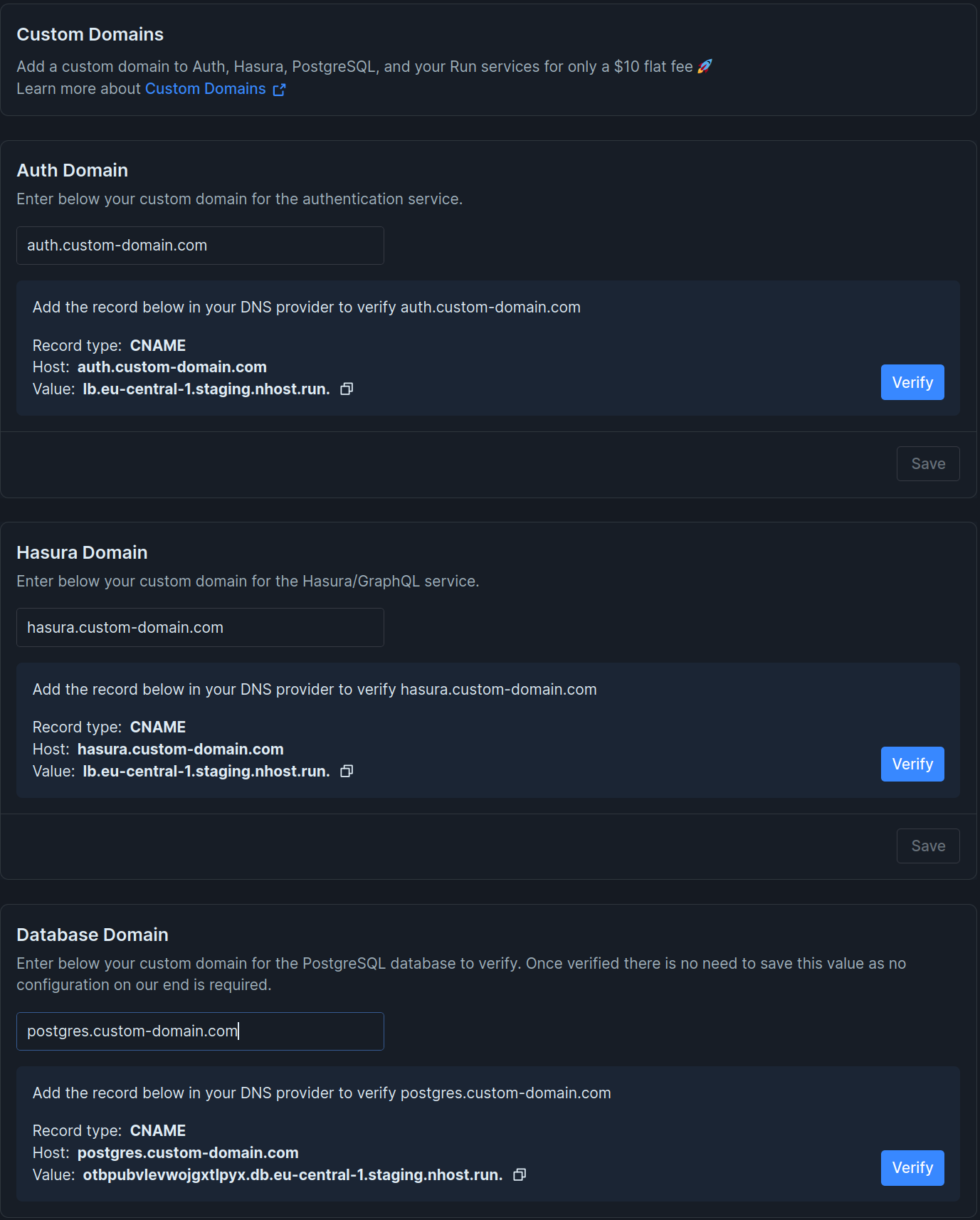
The first step is to add a CNAME record in your DNS provider for each of the services you want a custom domain for. You can find the instructions in the dashboard tab.
For GraphQL, Auth, and Functions, custom domains are defined in the default ./nhost/config.toml as follows:
[[hasura.resources.networking.ingresses]]fqdn = ['hasura.custom-domain.com']
[[auth.resources.networking.ingresses]]fqdn = ['auth.custom-domain.com']
[[functions.resources.networking.ingresses]]fqdn = ['functions.custom-domain.com']
For PostgreSQL there is nothing to configure on Nhost’s side so as long as you have a CNAME properly configured it should work.
For Run services, typically in an nhost-service.toml specific to the service:
name = 'my-service'
[image]image = 'docker.io/nhost/my-service'
[[ports]]port = 8080type= 'http'publish = true
[[ports.ingresses]]fqdn = ['my-service.custom-domain.com']