

Subdomain/Region
Build service URLs from your project subdomain and region, and configure the Nhost SDK to connect to your Cloud project.
subdomain region service URLs cloud project Nhost SDK endpoint configurationServices in the Nhost Cloud adhere to the following format:
- https://<subdomain>.<service>.<region>.nhost.run
When you set up a new project in Nhost Cloud, you’re assigned a subdomain that, along with the region where the project was created, allows you to generate the different URLs for your services. For example:
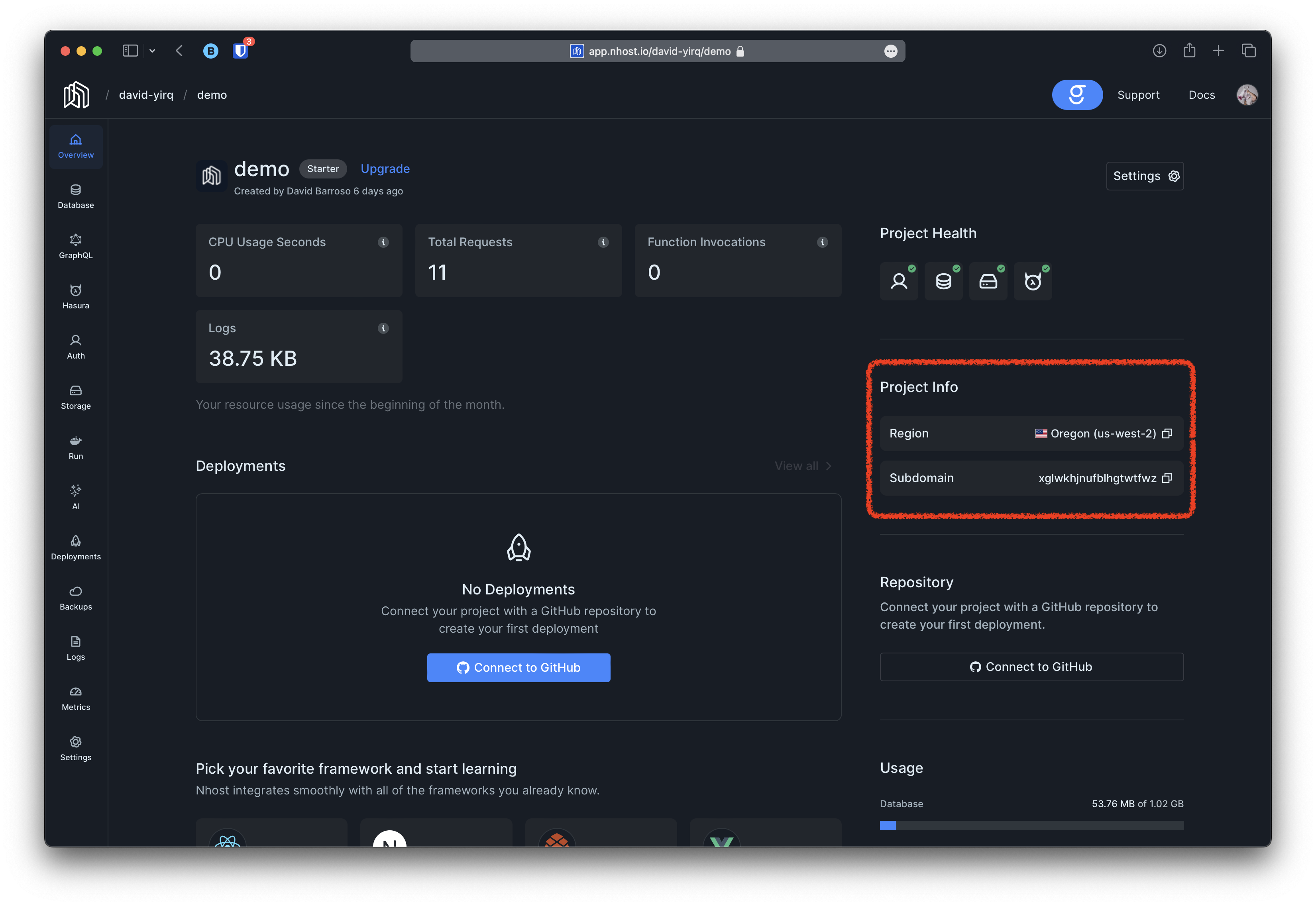
With that information at hand generating the URLs for the various services is trivial:
- https://xglwkhjnufblhgtwtfwz.auth.us-west-2.nhost.run
- https://xglwkhjnufblhgtwtfwz.db.us-west-2.nhost.run
- https://xglwkhjnufblhgtwtfwz.functions.us-west-2.nhost.run
- https://xglwkhjnufblhgtwtfwz.graphql.us-west-2.nhost.run
- https://xglwkhjnufblhgtwtfwz.hasura.us-west-2.nhost.run
- https://xglwkhjnufblhgtwtfwz.storage.us-west-2.nhost.run
If you are using our SDK you can just specify the region and subdomain and the SDK will automatically generate these URLs for you. For instance:
// Create a new Nhost client for local development.const nhost = new NhostClient( { region: 'xglwkhjnufblhgtwtfwz', subdomain: 'us-west-2' })